Metadata
The Metadata module groups the tools for editing block metadata: changing a parameter value, renumbering, and consulting / fine-editing a single block.
The 4 actions are split into two categories:
- Batch: acts on every block currently selected in the CloudCompare scene.
- Block: acts on the single selected block.
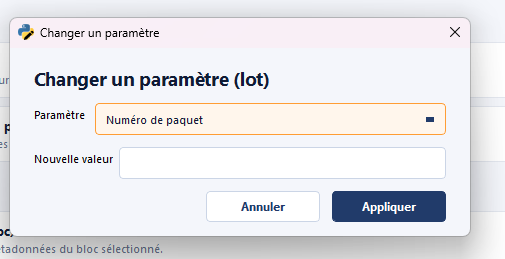
Change parameter (Batch)
Category: Batch
Updates a single parameter on every selected block at once. Useful to
homogenize a field (for example block_type, package, or any other
metadata attribute) over an entire zone.
Destructive action
The operation overwrites the previous value on every affected block.
Save (action Save JSON) before a large batch,
and use Undo if you need to roll back.
Rename blocks with prefix (Batch)
Category: Batch
Applies a prefix to the selection and reindexes the blocks behind that prefix. This is the batch renaming operation typically used at the end of processing to produce a clean final naming before the delivery render.
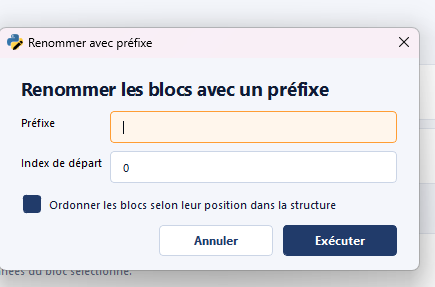
Example: B-0001, B-0002, … for every selected block, where B- is
the prefix and 0001, 0002… is the sequential index.
Prerequisite for the final render
This action is mentioned in the standard
procedure as the
reindexing step preceding Export final
render. It guarantees that the final
numbering is continuous and gap-free.
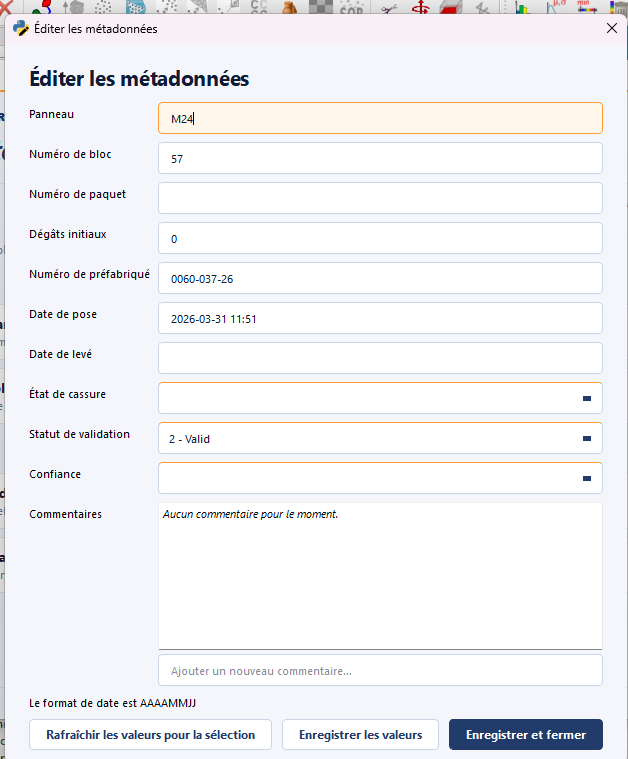
Metadata editor (Block)
Category: Block
Opens an editor that lets you modify any metadata field of the
selected block. Where Change parameter
(Batch) targets one field at a time across N
blocks, this action targets N fields at a time on a single block.
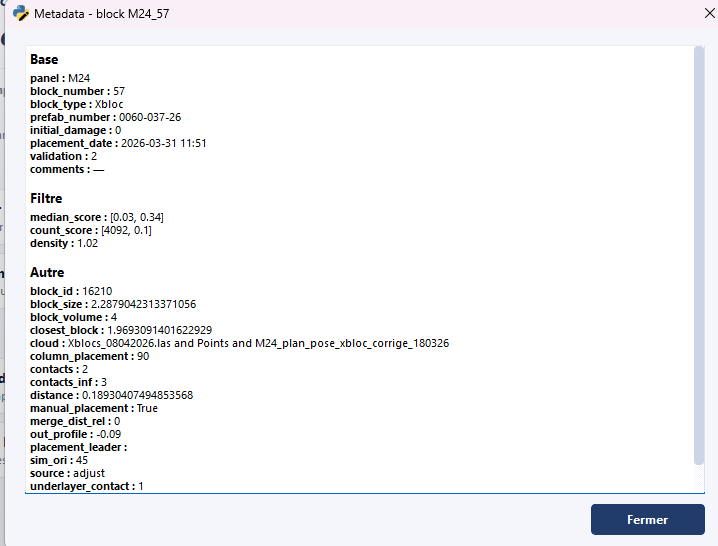
Show metadata (Block)
Category: Block · Shortcut: Ctrl+M
Displays in read-only mode the metadata of the selected block, grouped
by category (Base, Filter, Other). Quick consultation action
with no risk of modification.