Export
The Export module groups the output actions: saving the current structure as JSON, CSV export (standard or custom columns), and generation of the final render ready for delivery.
Save JSON
Saves the current structure to a JSON file. The format is the one described in section Structure JSON file.
Frequent saving recommended
The SEABIM Editor module keeps an autosave.json in the data folder,
but a manual save named after the
nomenclature
is essential at the work milestones (find, filtered, manual_n).
Export CSV
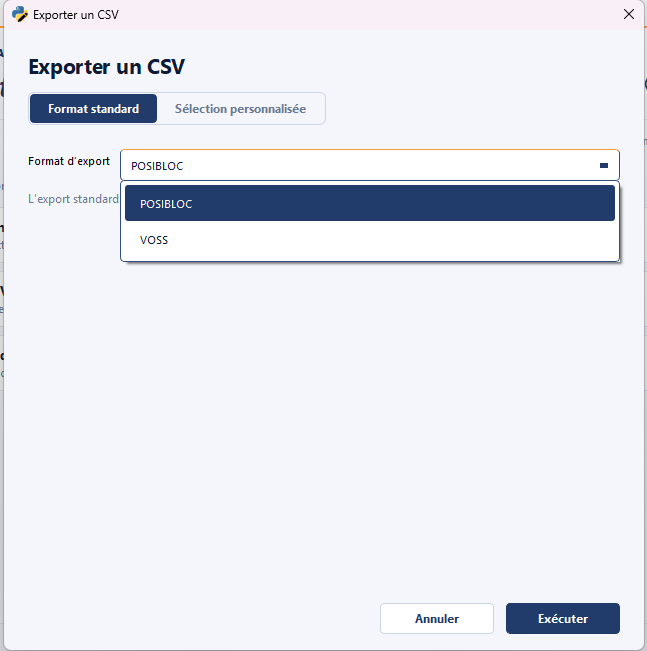
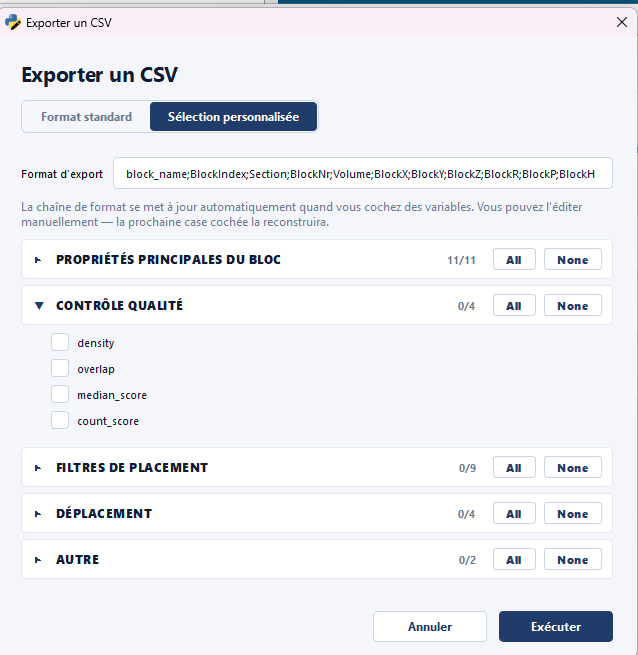
Exports the structure's blocks to CSV. The action covers two cases in a unified dialog:
- Standard: the usual columns (position, type, volume, plot, block) for exchange with another tool.
- Custom: free selection of columns to export based on the metadata present in the structure.
Export final render
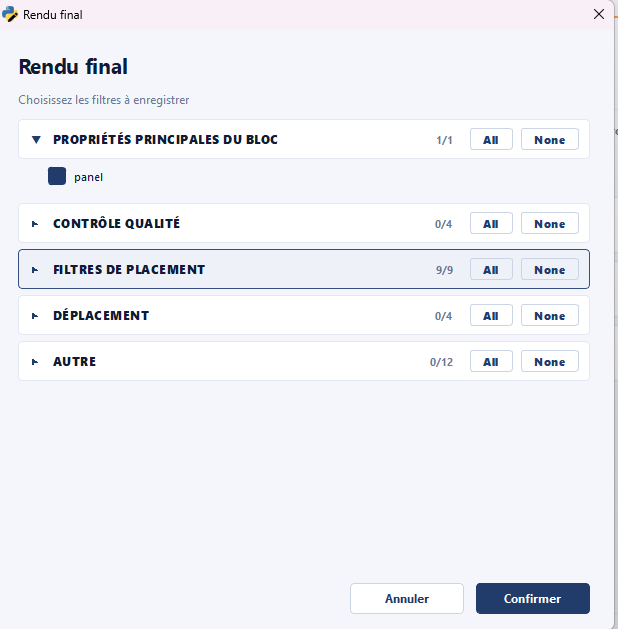
Generates a final render as CloudCompare BIN files ready for delivery, integrating the quality control filters.
Final step of the workflow
This action is the final step described in the standard
procedure. It is
preceded by a reindexing (action Rename blocks with prefix
(Batch) of the
Metadata module) which ensures continuous numbering
without gaps before delivery.