License activation
This page describes the procedure for activating a SEABIM Editor license using CodeMeter Runtime from WIBU-SYSTEMS. It is performed only once per workstation, after installing the plugin and before being able to create a first project.
Prerequisites
- SEABIM Editor installed and working in CloudCompare.
- CodeMeter Runtime installed on the workstation (see the Prerequisites table on the Installation page).
- An initial
.liflicense file provided by the SEABIM team.
1. Check the absence of any active license
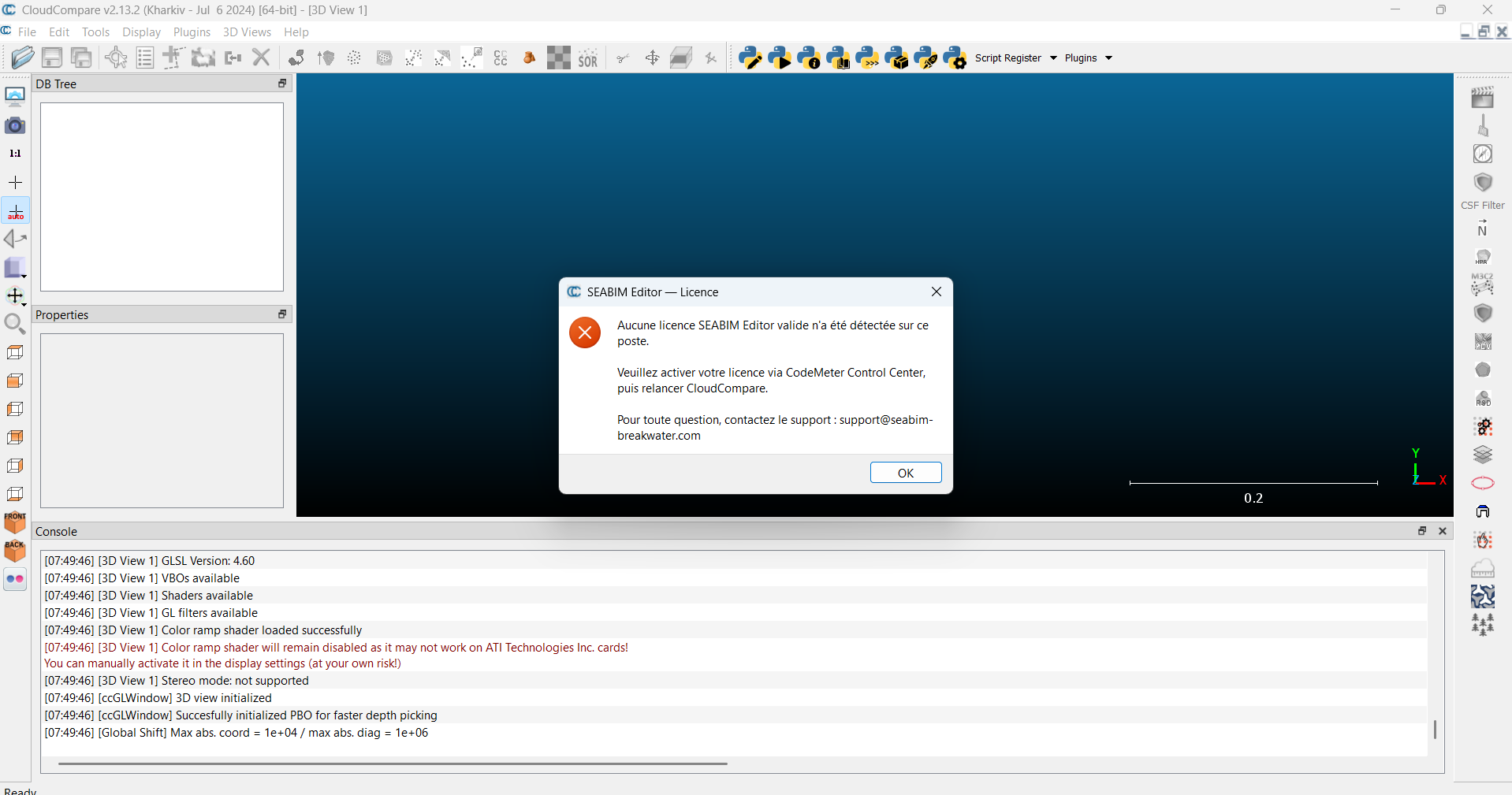
Once SEABIM Editor is correctly installed, a dedicated icon appears in the right sidebar of CloudCompare. As long as no license has been activated in CodeMeter Runtime, clicking that icon displays the no-license message:
2. Import the .lif file
- Save the received
.liffile in a folder of your choice. - Open CodeMeter Control Center.
- Drag and drop the
.liffile into the application window.
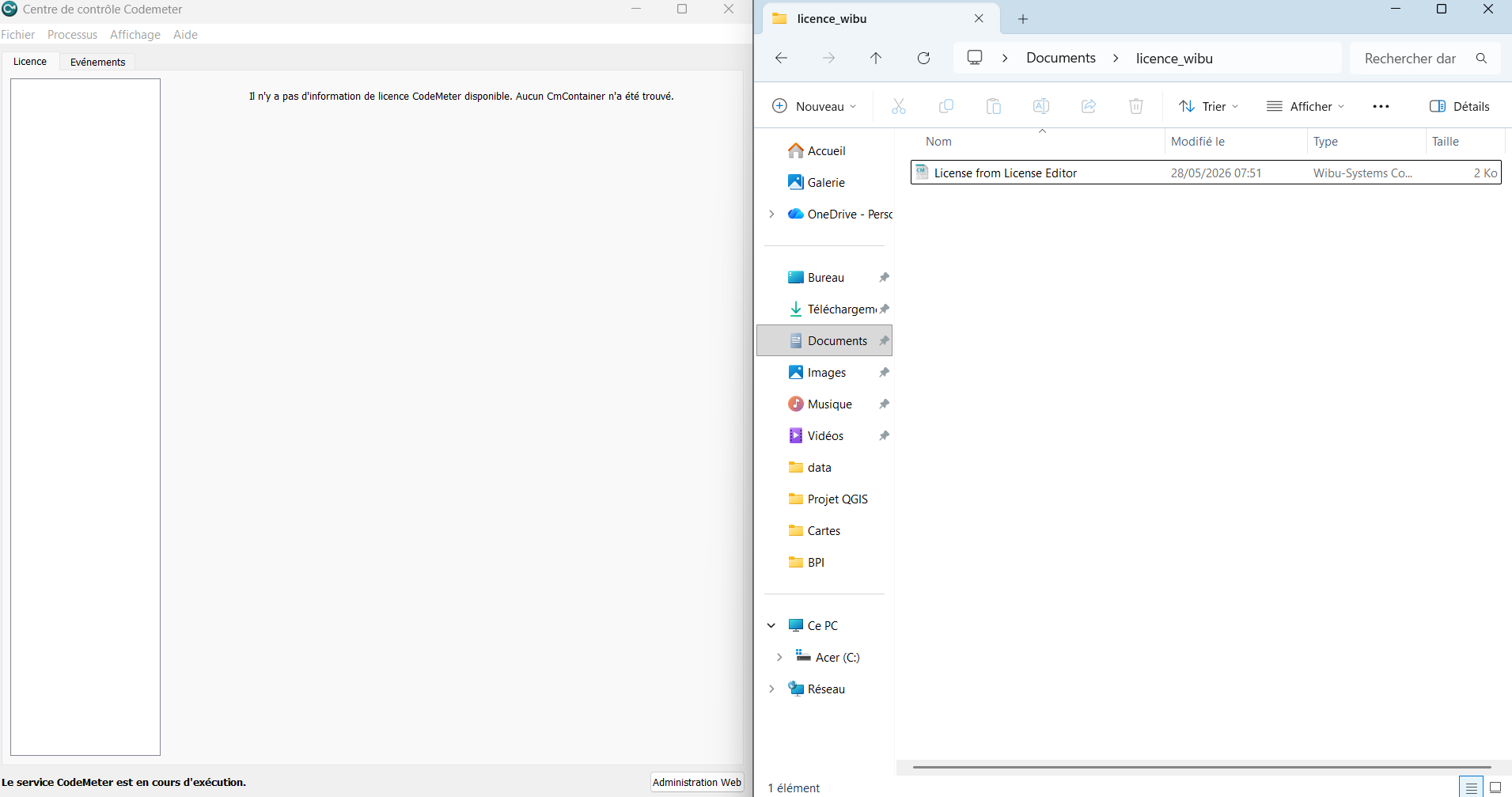
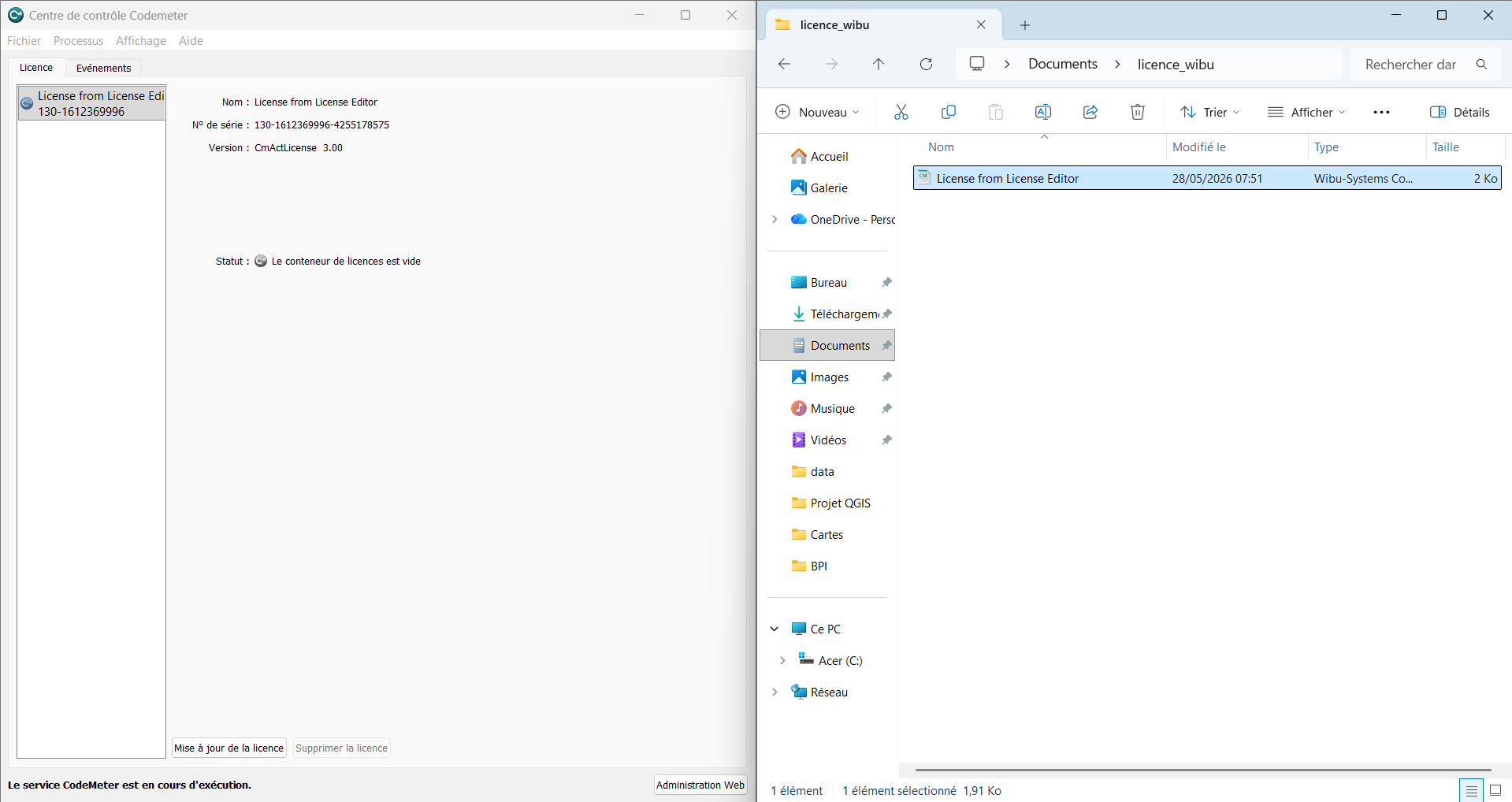
The license then appears in the list: a CmContainer has just been created on your workstation.
3. Request the license activation
The next step is to generate a license request (.RaC file) that the
SEABIM team will use to issue your final license.
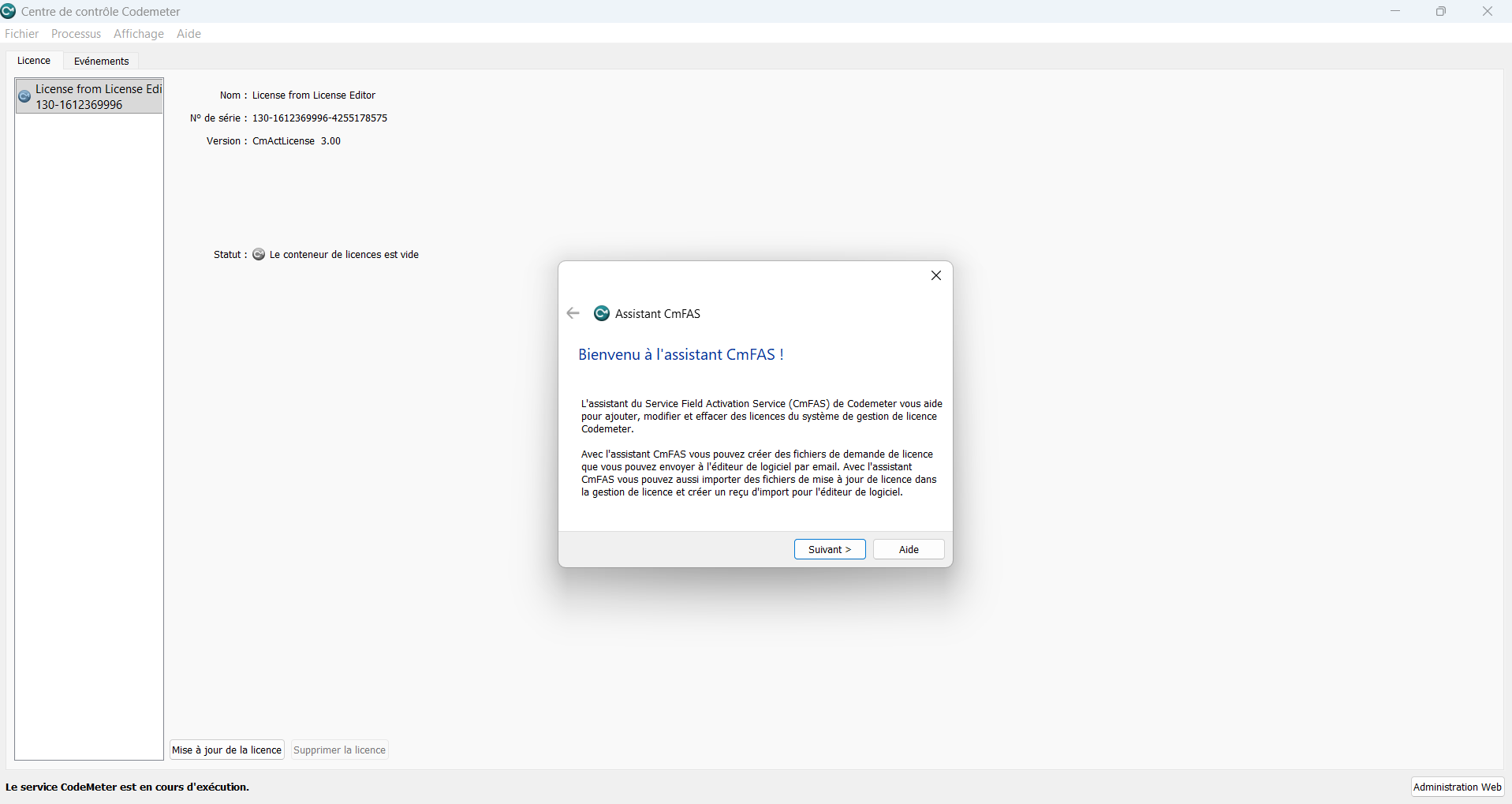
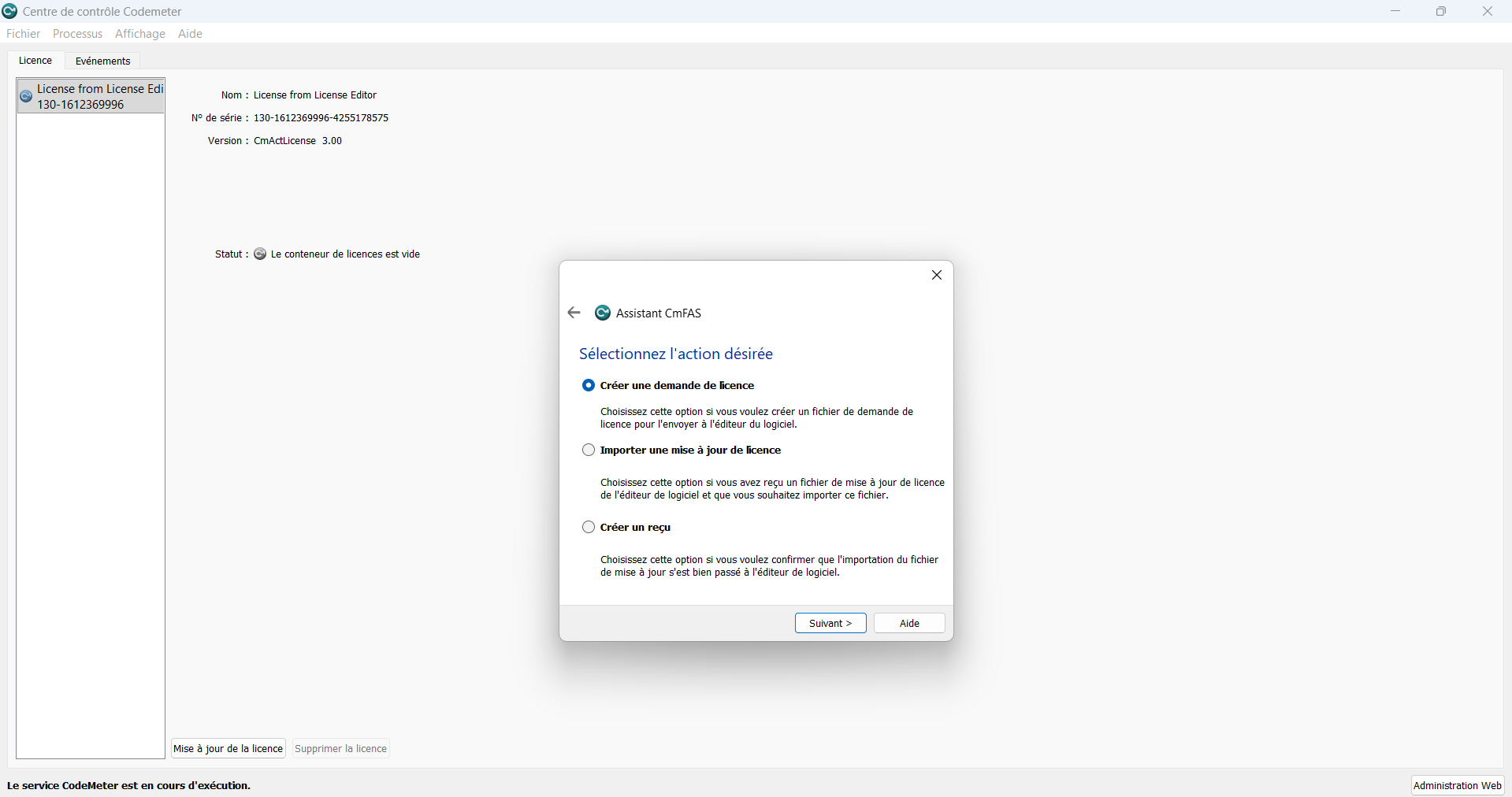
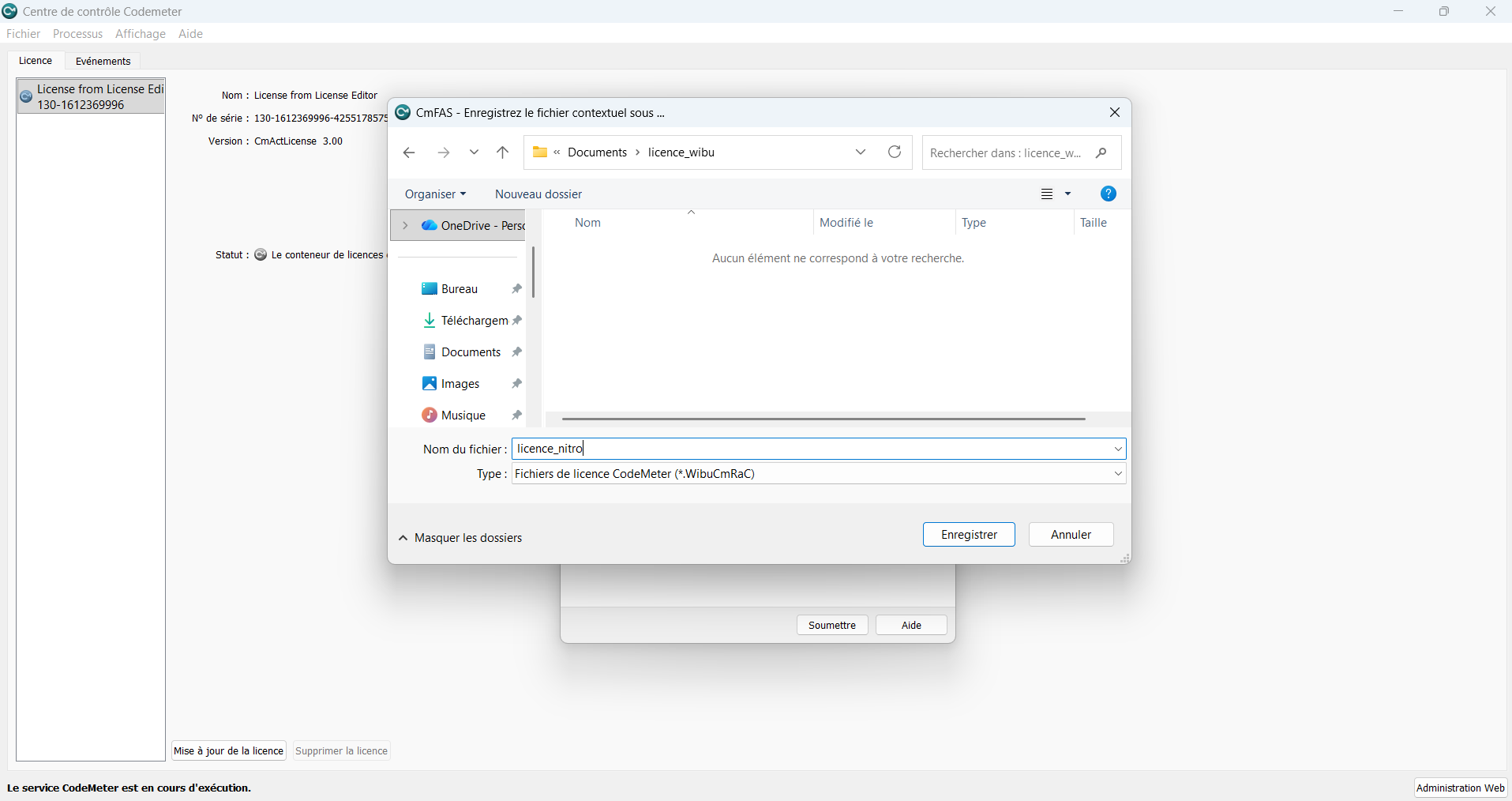
- In CodeMeter Control Center, click "License update" at the bottom right.
- Follow the wizard screens:
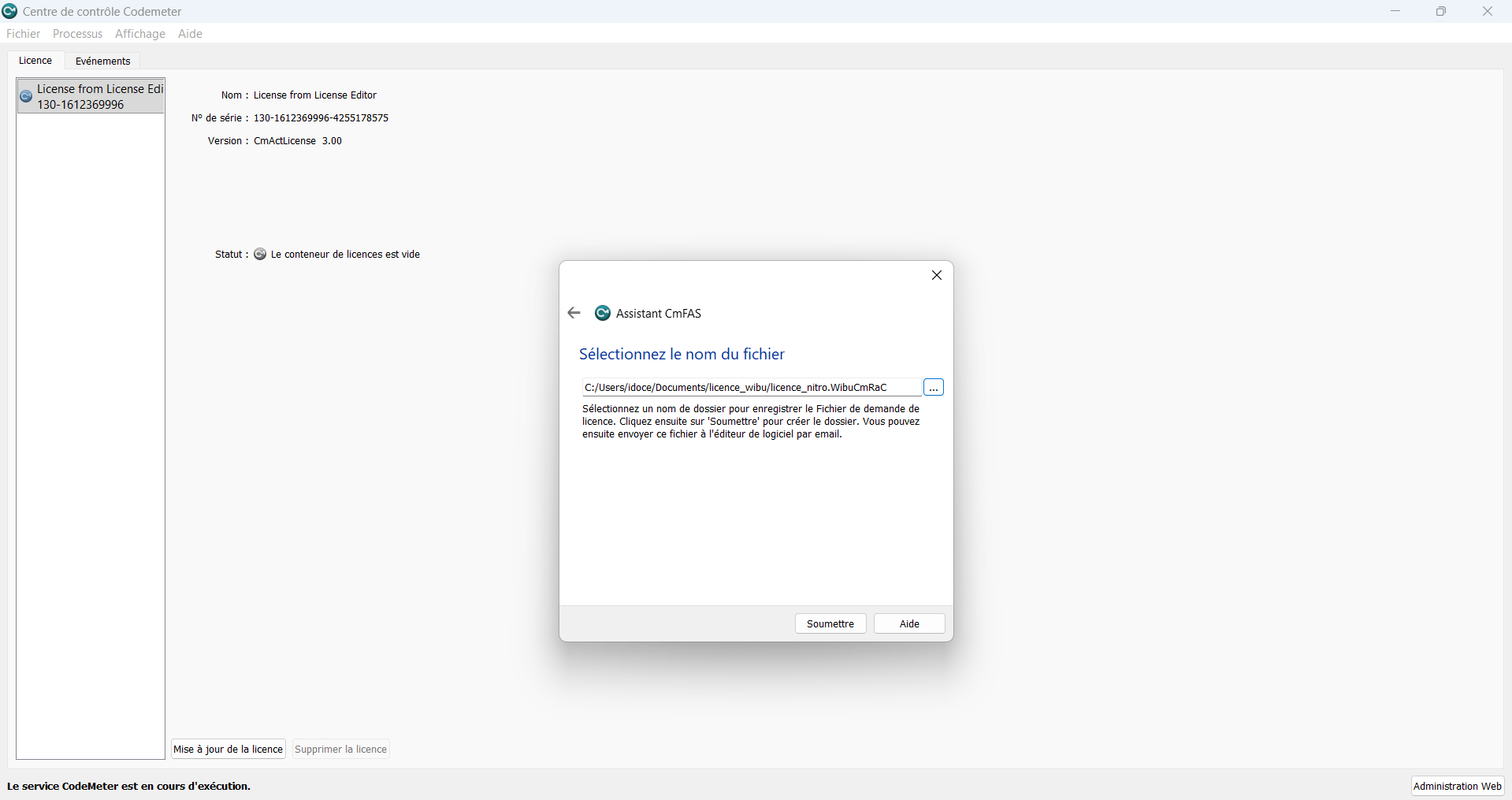
- Send the resulting
.RaCfile to the SEABIM team.
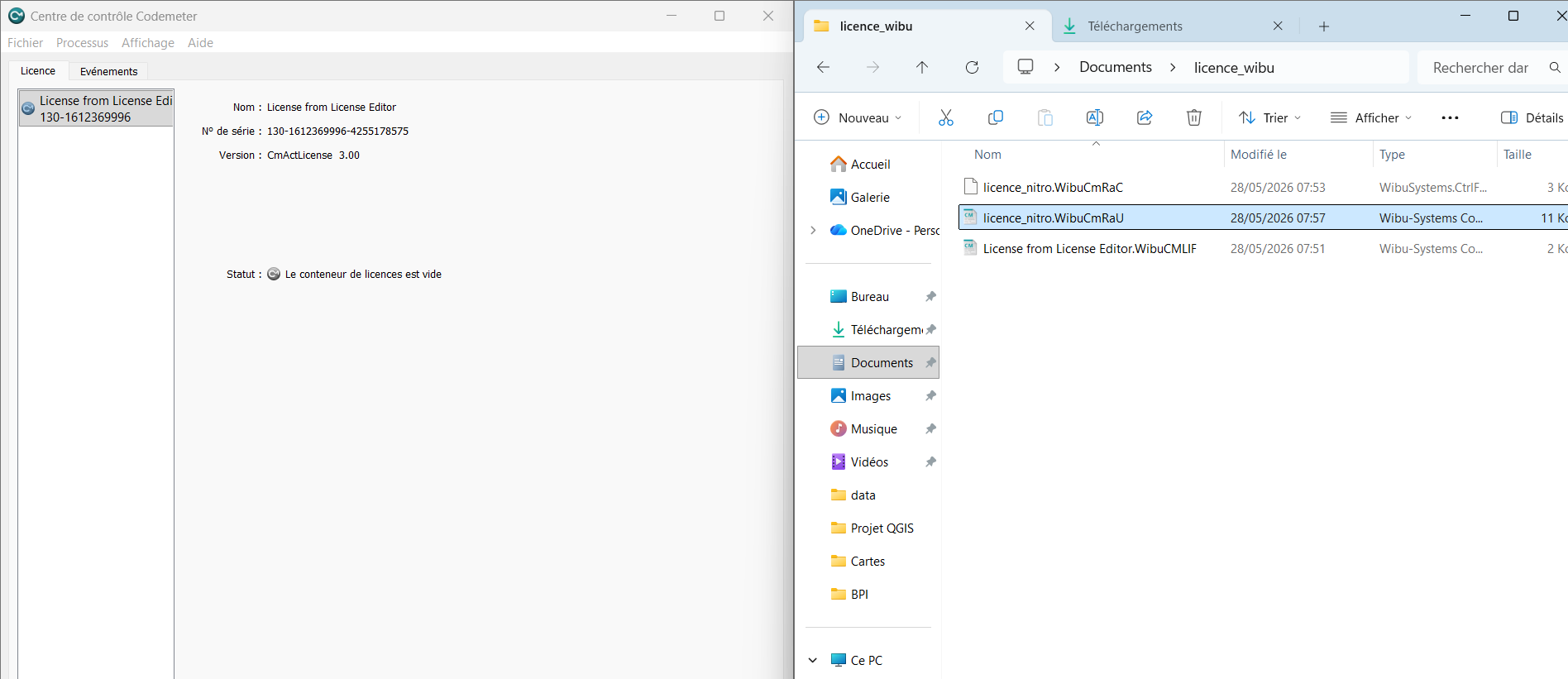
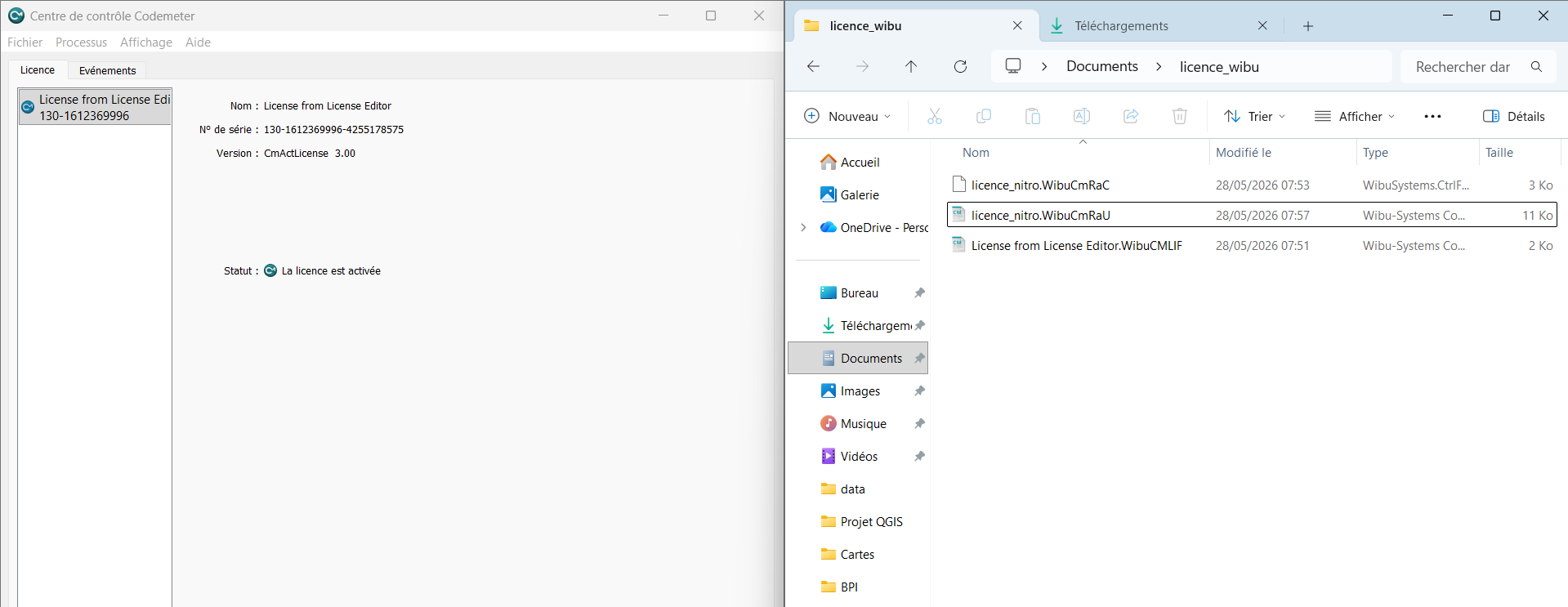
In return, you will receive a .RaU file to import in CodeMeter
Control Center following the same procedure (drag-and-drop or via the
update wizard).
4. Check the license in CodeMeter WebAdmin
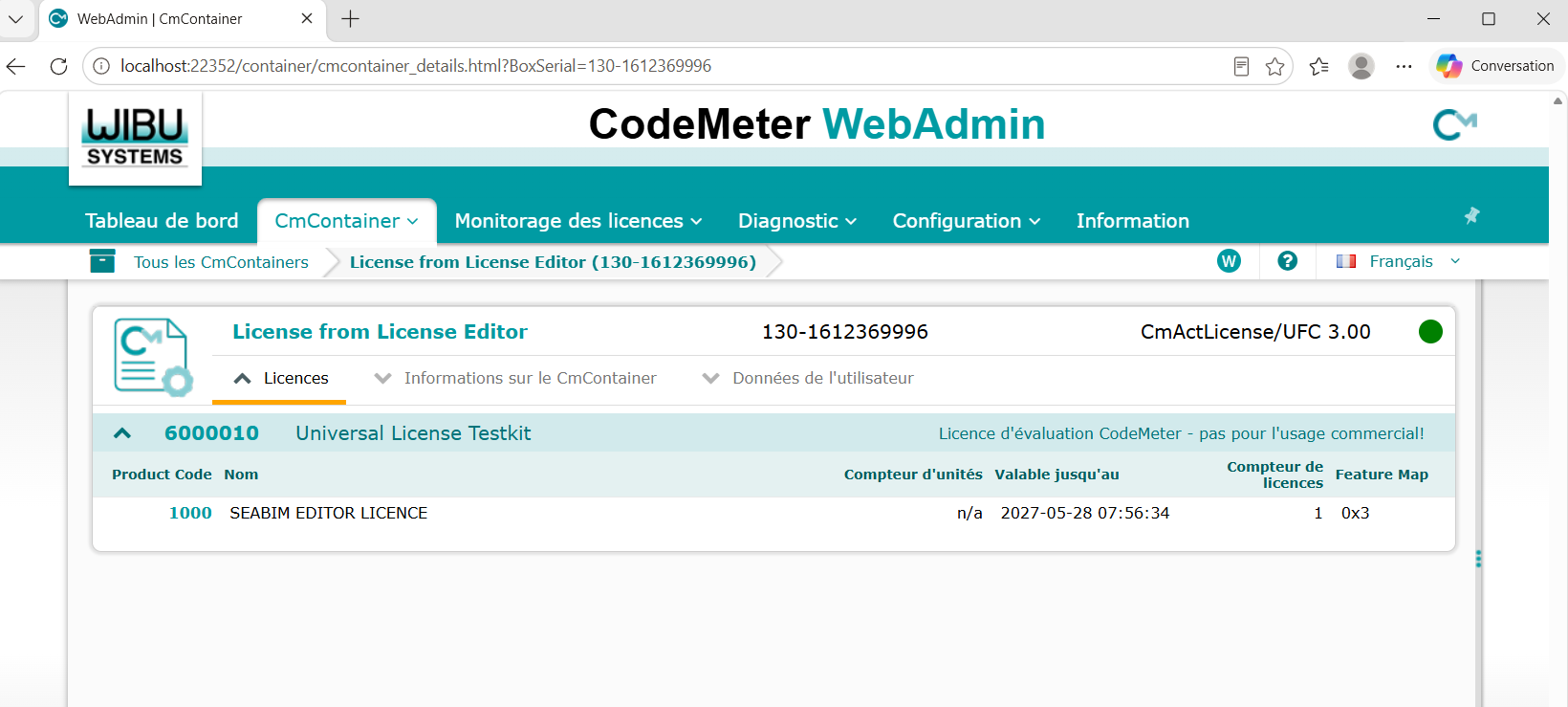
You can check at any time the detailed information of your license from CodeMeter WebAdmin:
5. Confirm activation in CloudCompare
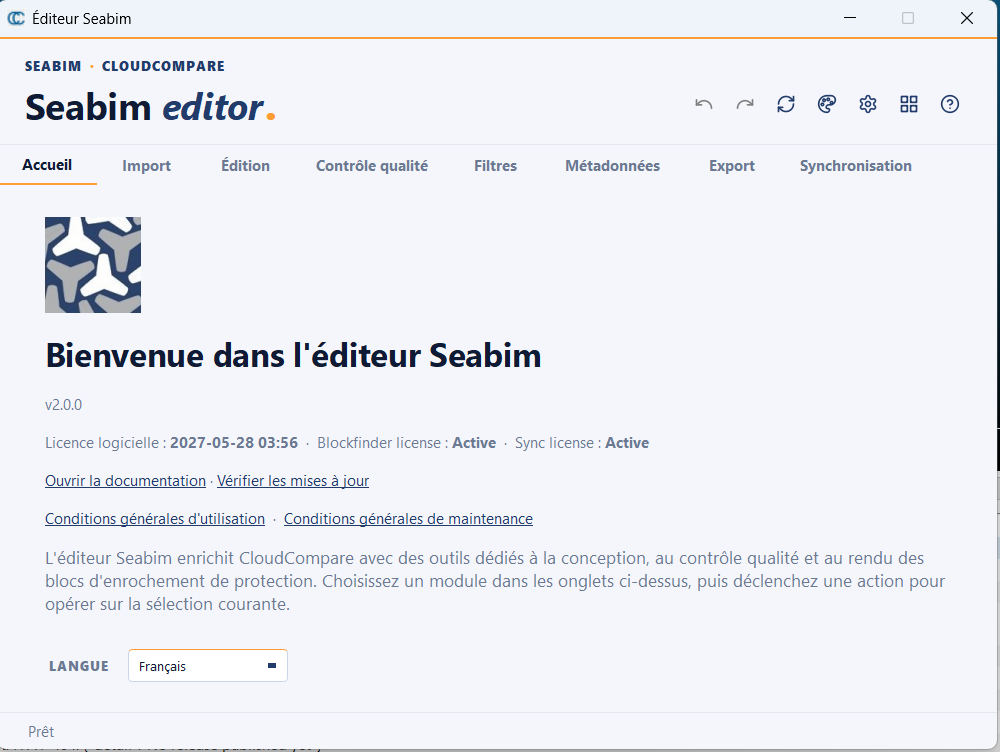
To finalize, open CloudCompare and click the SEABIM icon in the sidebar. A summary window opens with the license information: activation is successful.
At that point you can move on to creating your first project.
In case of trouble
Keep the .lif, .RaC and .RaU files safe, and contact the SEABIM
support attaching a screenshot of the error message shown by
CodeMeter Control Center or by the SEABIM Editor launcher.